Taxes
The client, SaaS platform offered features for product cataloging, sales, transactions, and reporting, it did not support automatic tax calculations based on different regions, rates, or product types.
Goal was to allow businesses to create their own taxes that they can apply to products with flexibility and that they can work for everyone, from small boutiques to large enterprise systems.
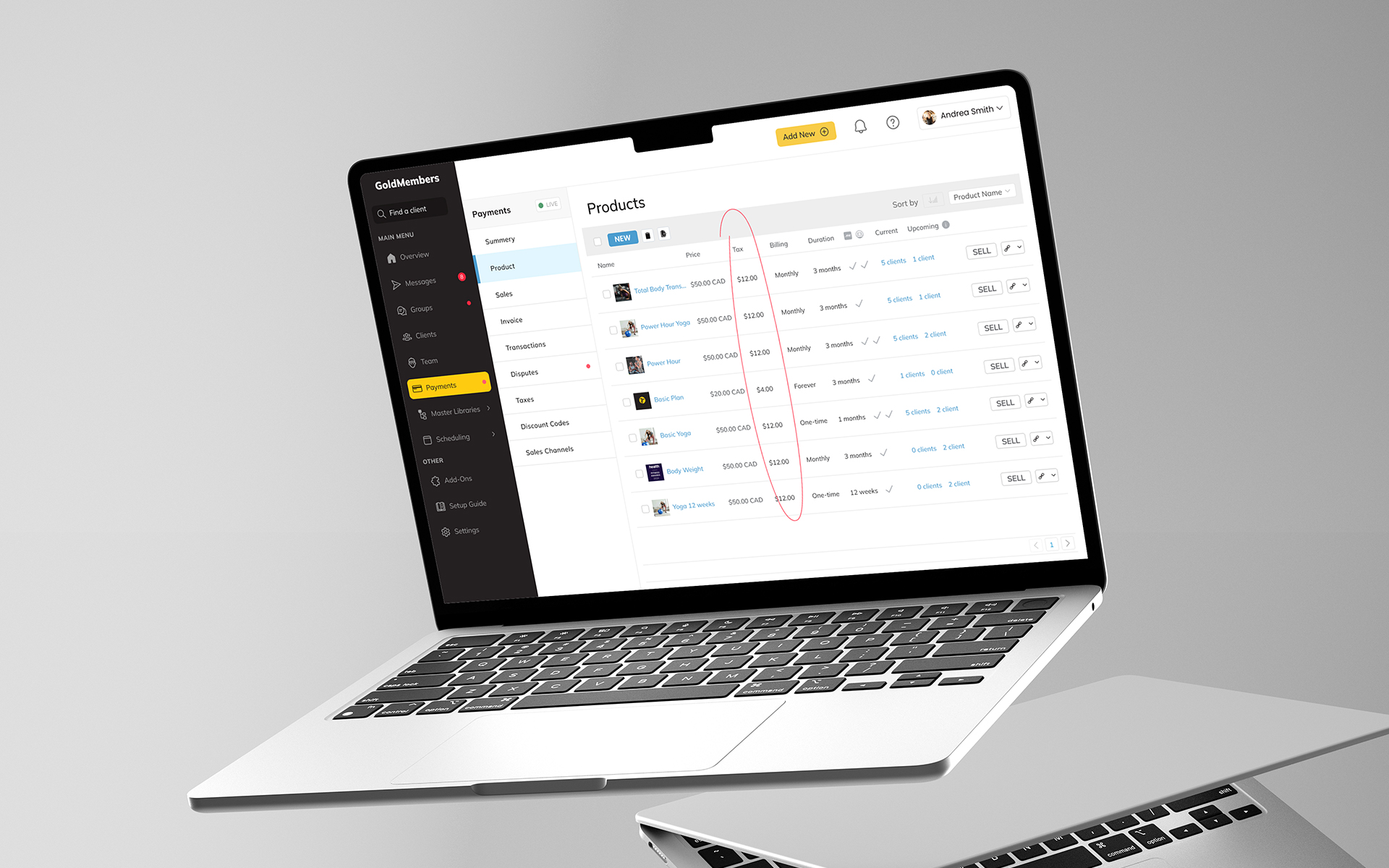
Challenge
"Integrate a flexible and user-friendly tax calculation feature that supports various tax rules and product types while maintaining the application’s ease of use and scalability."
Discovery and how it all started
The need for constant improvement led us to this project and some others, and the fact that this was one of the most requested functionalities on the client's wish list forum contributed to the decision to work on this very thing.
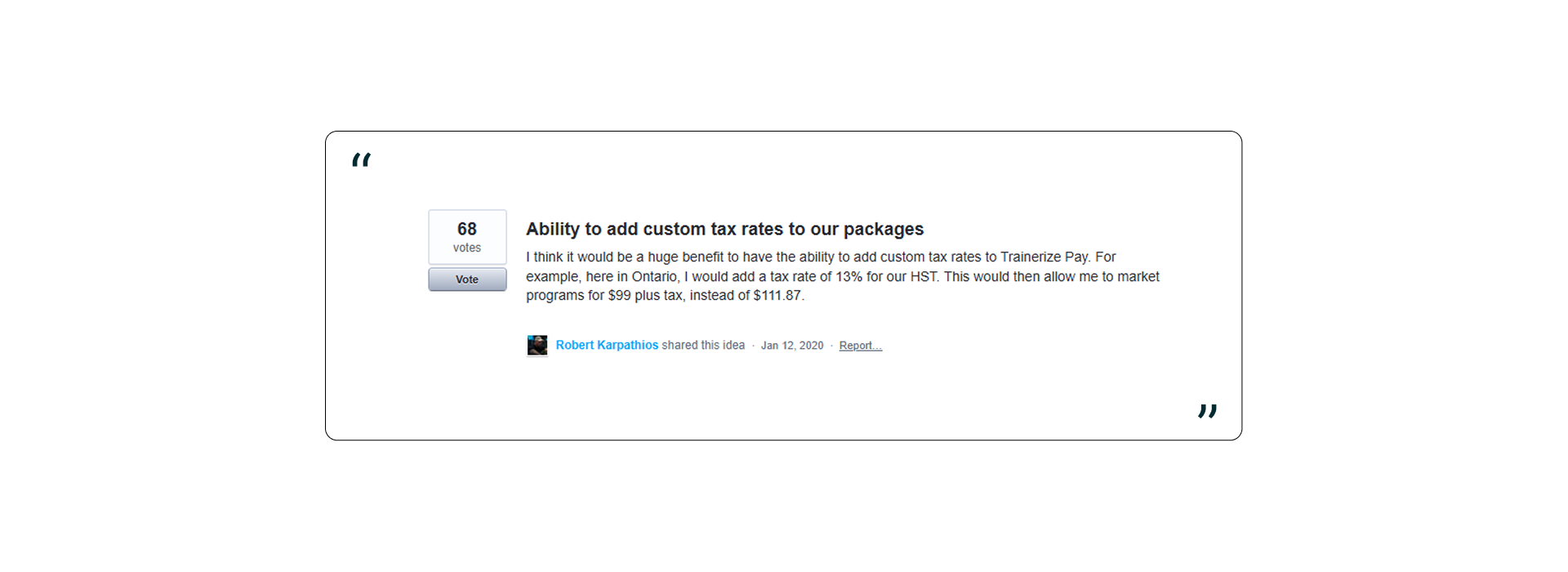
Research
The first step involved thorough research and discovery to understand the tax requirements and constraints within the platform.
Business’s Owners Interviews
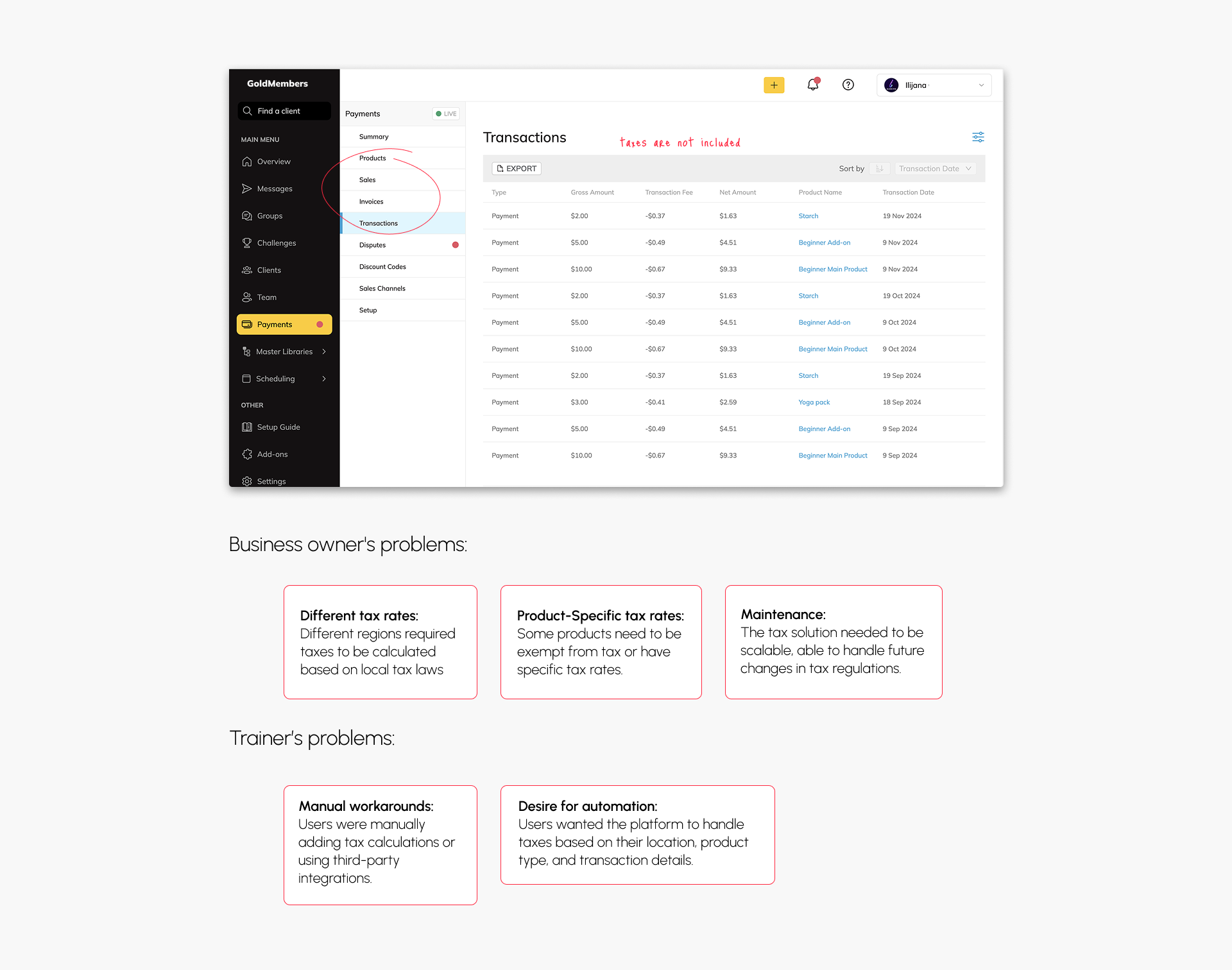
Conducted interviews with stakeholders to gather insights into the tax complexities faced by users and the business. This helped identify several key concerns:
Trainer’s Interviews
Engaging with a select group of platform users to better understand how they currently manage taxes in their workflows. This revealed:
Competitive Analysis
I analyzed competitors' tax solutions to identify best practices and ensure our solution would be competitive and user-friendly. This gave us insight into features like automatic tax rate fetching, specific tax configuration, and user-friendly tax tracking.
Tax Regulations Research
I also performed detailed research on global tax regulations, focusing on sales tax in the U.S., VAT in Europe, and GST in Australia, ensuring we covered the most commonly used tax systems.
Design Solution
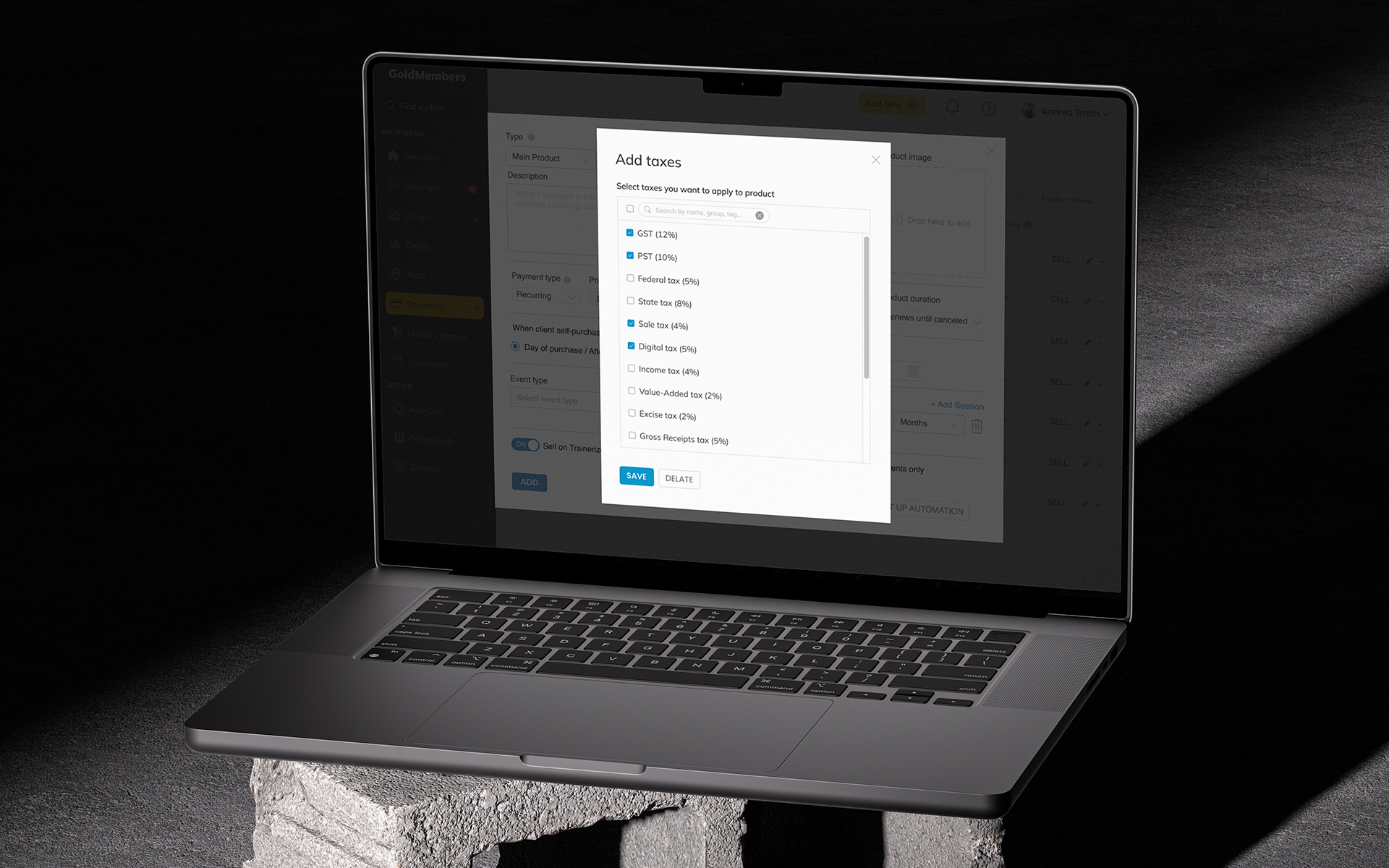
Created design solutions for the tax configuration interface, including:
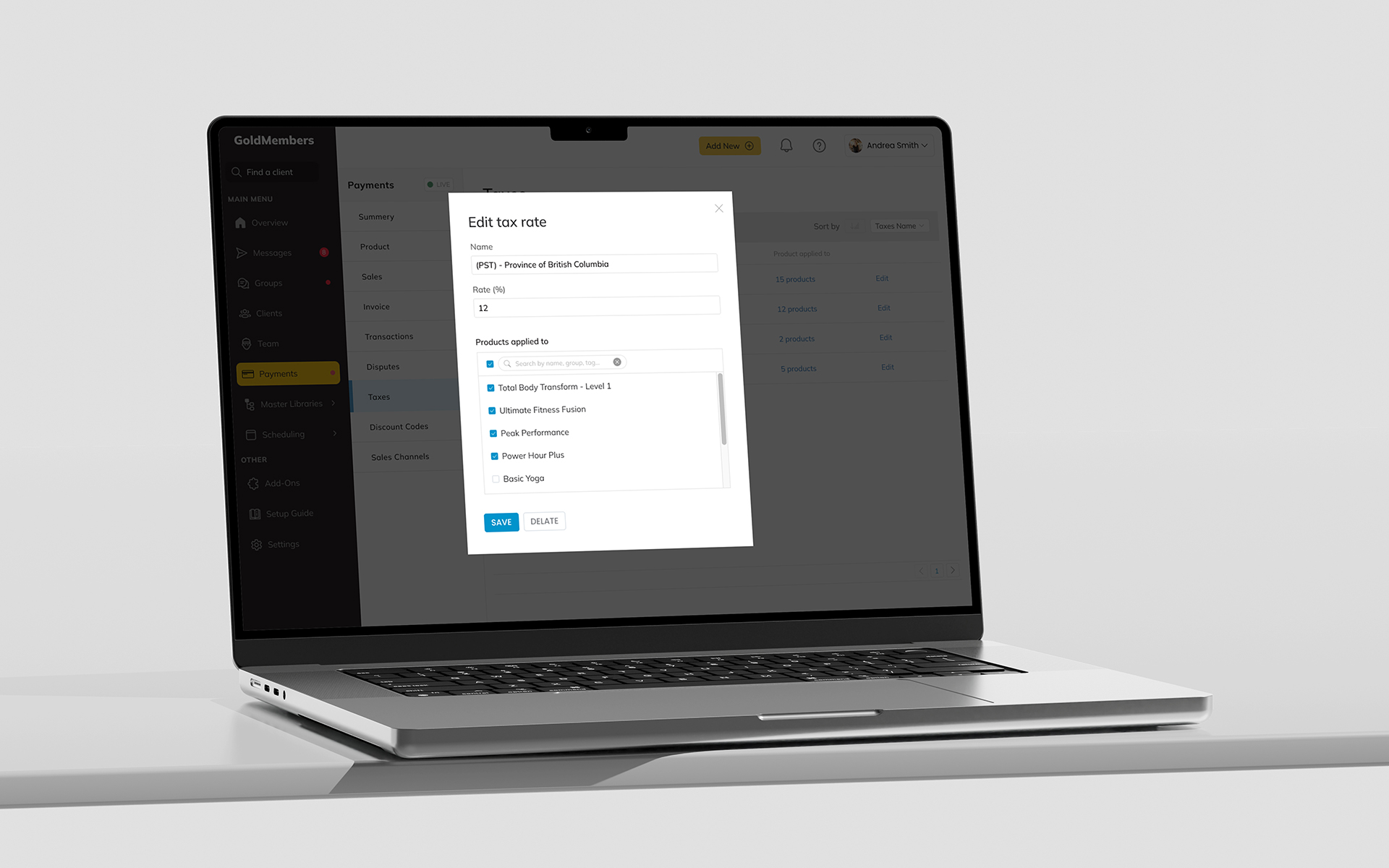
1. Tax Settings Page where users could easily manage tax rules for the whole business.
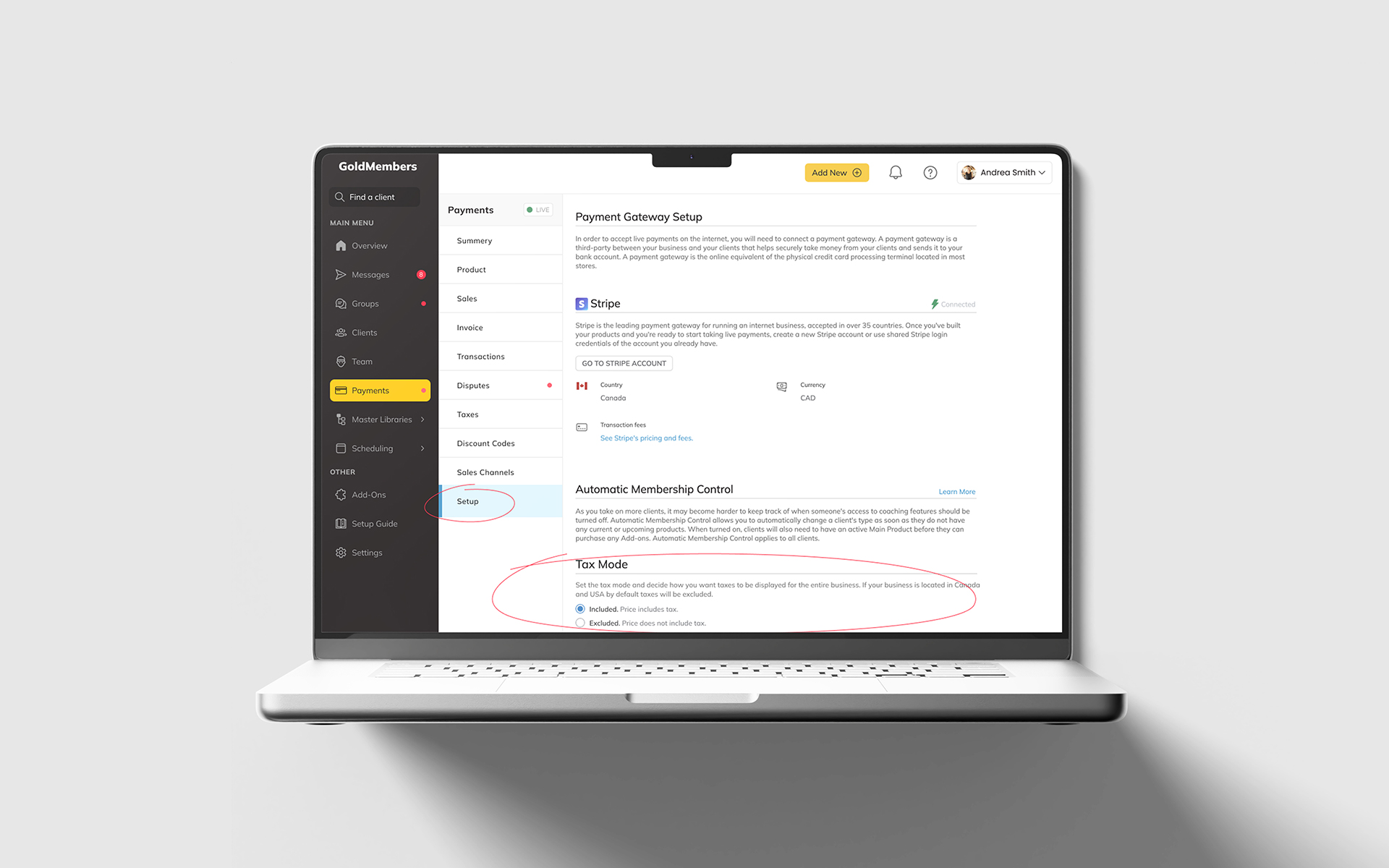
3. Tax Page
Where users could easily manage tax rules individually per product.
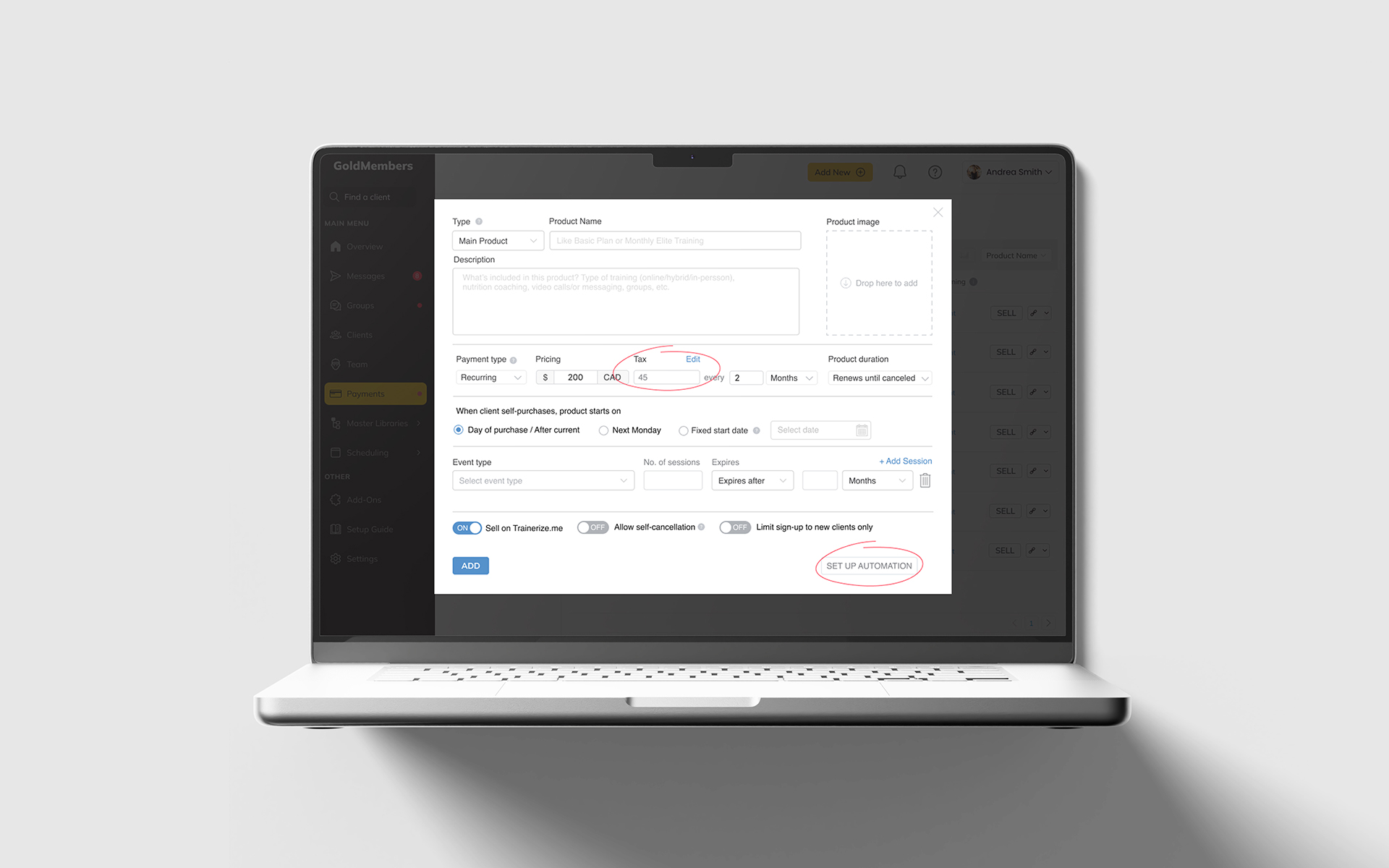
- Users could set up tax rules for specific regions or countries.
- The ability to assign specific tax rates to different products.
- Users could override default tax rates for specific products.
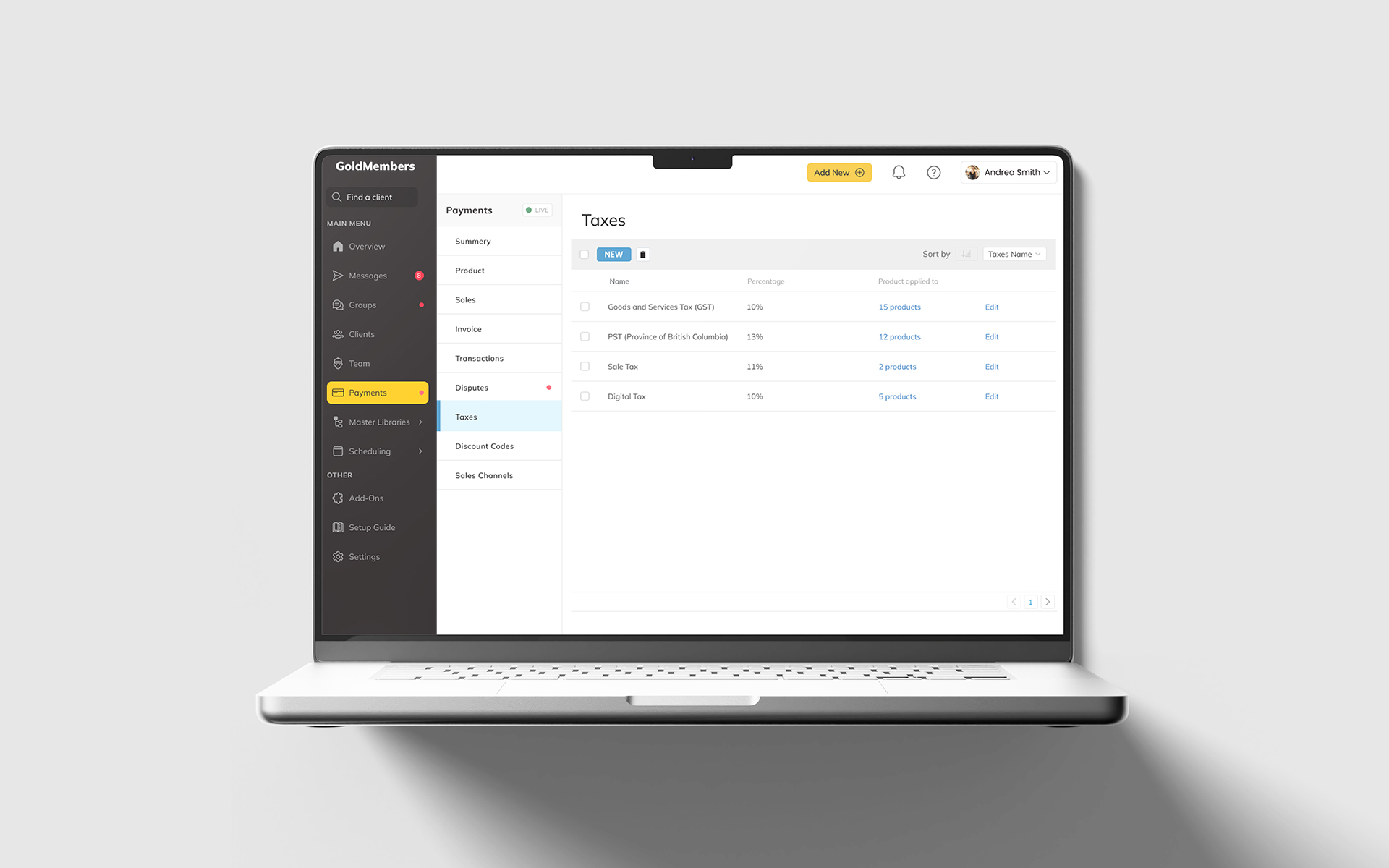
User now will be able to create taxes adapted to theirs needs. Choose the name and percentage, and then attach as many of these taxes as they want to any given product. Upon purchase of the product, clients will see these taxes as separate lines on an outlined receipt.
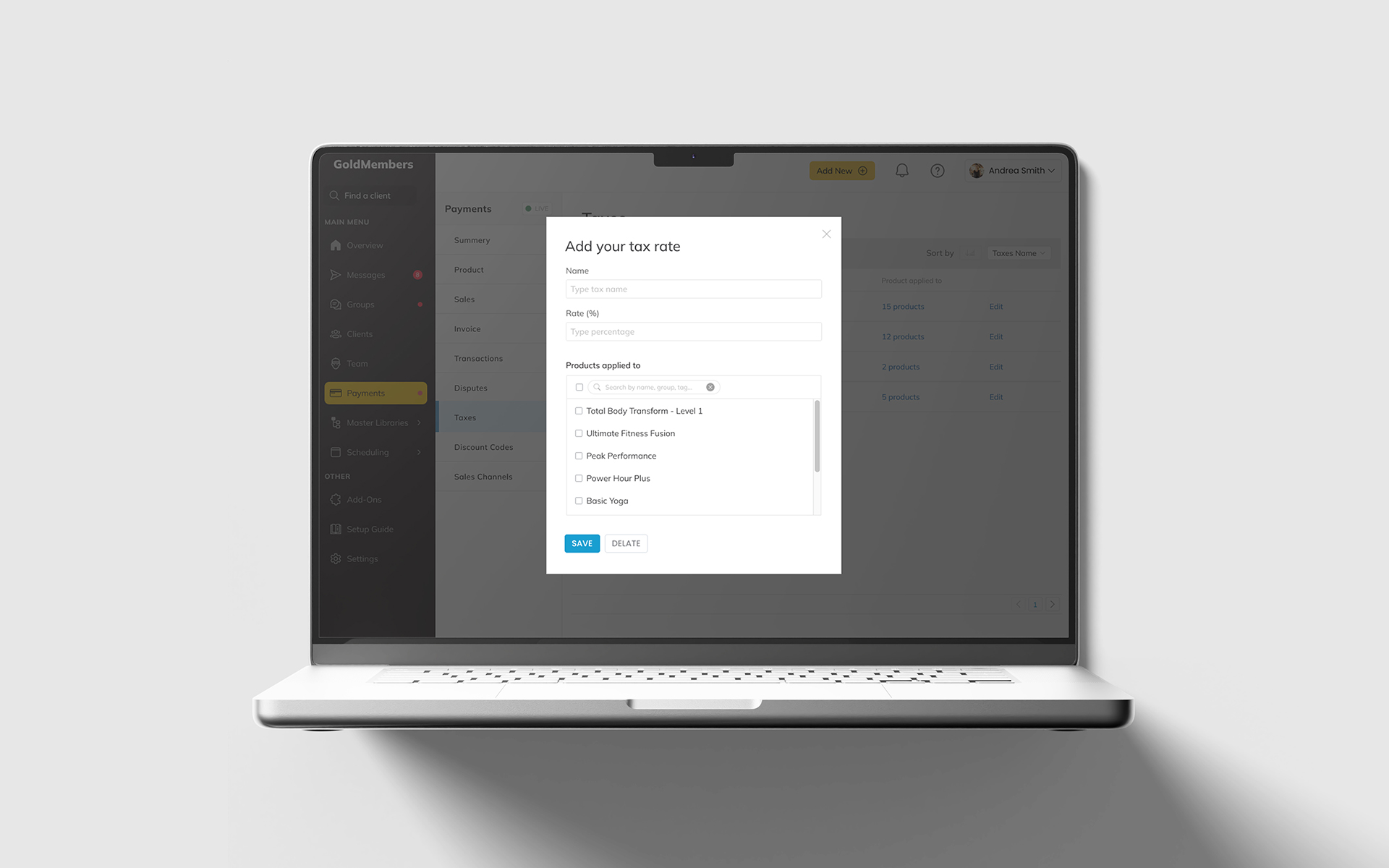
3. Tax Calculation
Provided feedback on tax rates applied to individual products in the checkout process and on transactions, invoices, all pages used for purchases.
The core feature was tax calculation based on the user’s region, product type, and any other relevant variables. This feature would pull from a base of tax rates and apply the correct tax.
Usability Testing & Feedback
We conducted usability testing with a group of users, focused on the clarity of the functionality, and whether users could easily understand the new features. Based on feedback, we made several improvements, such as:
- Adding tooltips and inline help to guide users through complex tax configurations.
- Adding automatic location-based tax calculation to the onboarding process when setting up a business.
Contribution to Business Value Proposition
This project not only helped the client meet regulatory requirements but also enhanced the platform’s value proposition by offering a seamless, flexible tax solution. Addition of this feature has positioned the Trainerize as a more competitive and user-centric product in the enterprise software market.